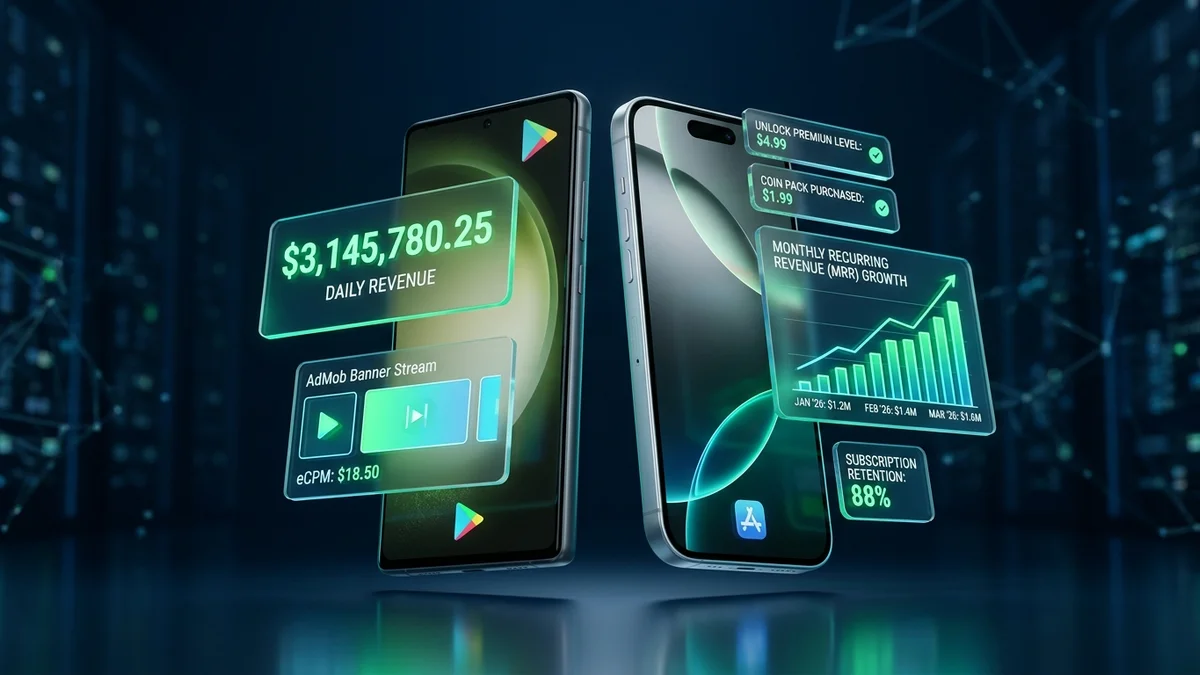
Every smartphone user carries an active commercial marketplace in their pocket. In 2026, mobile applications account for more than 58% of global web traffic and over $180 billion in annual digital consumer spending. From localized driving test quizzes and specialized resume makers to daily habit trackers and offline calculators, mobile utility apps generate consistent, highly passive revenue streams for independent developers.
However, the era of cloning a flappy bird game or dumping unoptimized web wrappers into an APK is over. Today, Google Play and Apple App Store review teams enforce rigorous software quality standards, strict privacy policy requirements, and closed testing thresholds.
In this comprehensive guide, we walk through the exact financial and engineering reality of mobile app monetization: how AdMob and subscriptions actually pay, how to navigate Google Play's 20-tester requirement, and how to launch your first profitable app with an upfront budget between $25 and $1,500.
1. The 3 Primary Mobile Monetization Models in 2026
Understanding how an app makes money dictates how you architect your Kotlin code and design your onboarding screens:
A. Google AdMob (Programmatic Advertising)
AdMob is the easiest entry point for free utility apps. You display three main ad formats: Banner Ads at the bottom of screens, Interstitial Ads between natural activity transitions (e.g. after a user submits a quiz or downloads a PDF), and Rewarded Video Ads where users watch a 30-second video in exchange for unlocking an extra feature.
AdMob revenue is measured in eCPM (effective Cost Per Mille, or earnings per 1,000 ad impressions). In Tier-1 countries (US, UK, Canada, Australia), eCPMs for rewarded and interstitial ads range from $15 to $45. In emerging markets, eCPMs range from $1.50 to $6.00.
B. In-App Purchases (Freemium Microtransactions)
Users download the app completely free of charge. Premium capabilities—such as exporting high-resolution resumes, removing all ads permanently, or unlocking advanced question banks—require a one-time in-app purchase ($2.99 to $9.99) processed securely through Google Play Billing.
C. Auto-Renewing Subscriptions
The gold standard for compounding revenue. Users pay a recurring weekly, monthly, or annual fee (e.g. $4.99/month or $29.99/year) for continuous value: cloud backups, daily AI explanations, or synchronized multi-device data.
2. The Financial Breakdown: $25 Solo Dev vs $1,000 Growth Budget
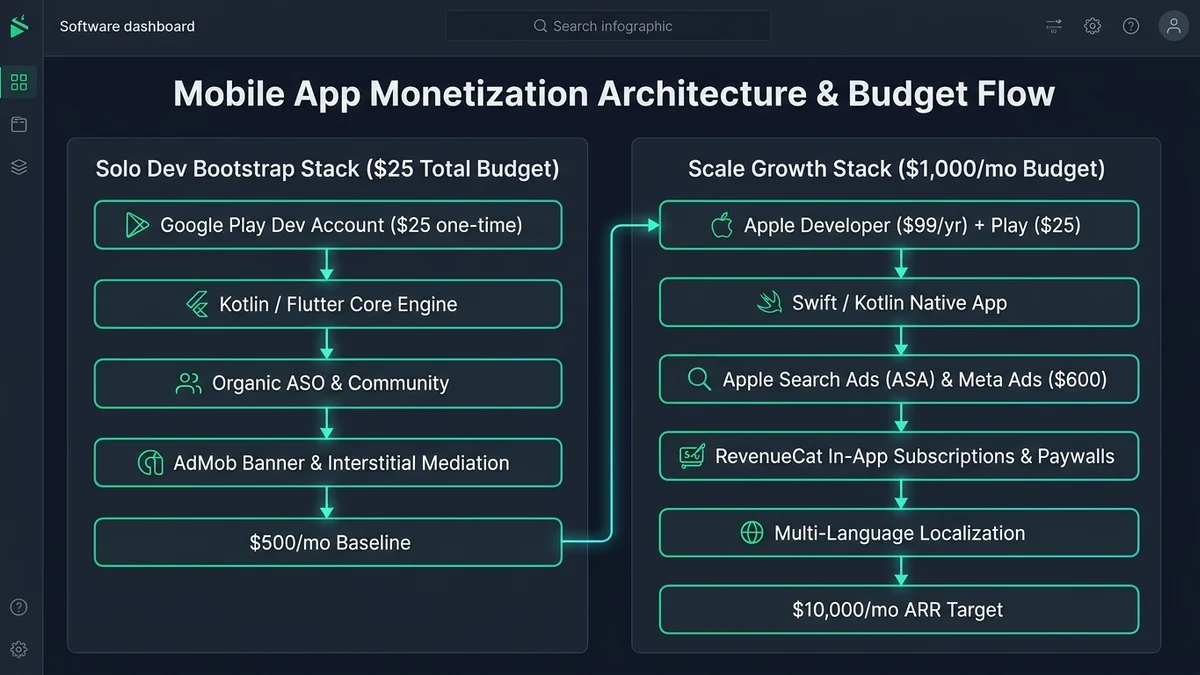
Can you really build and launch an app for just $25? Yes. Here is how capital requirements break down across launch tiers:
| Expense Category | The $25 Solo Dev Tier | The $1,000 Growth Tier | Purpose & Return |
|---|---|---|---|
| Google Play Developer Account | $25 (One-time fee) | $25 (One-time fee) | Mandatory license to publish on Google Play |
| Apple Developer Program | $0 (Deferred until profitable) | $99 / year | Enables iOS App Store global publishing |
| IDE & Development Tools | $0 (Android Studio + VS Code) | $0 (Android Studio) | Official free Google developer toolchain |
| App Icon & Store Graphics | $0 (Canva / Figma free tier) | $150 (Professional designer) | High-converting store screenshots and icons |
| Backend Hosting & Database | $0 (Supabase / Firebase free tier) | $50 / month | User authentication and sync storage |
| ASO Keyword Research | $0 (Manual Google Play auto-suggest) | $150 (AppTweak / SensorTower trial) | Identifies high-traffic low-competition terms |
| Initial User Discovery Ads | $0 (100% organic ASO traffic) | $500 (Google App Campaigns) | Seeds initial 1,000 active users for reviews |
| Total Launch Capital | $25.00 Total | $974.00 Total | Achieves first profitable store milestone |
3. What If You Have a $0 Budget?
If you cannot afford the $25 Google Play registration fee today, execute this zero-dollar bridge strategy:
- Build and Distribute Direct APKs: Package your app into an Android APK and distribute it for free on alternative app platforms (F-Droid, APKMirror) or directly to local communities (schools, driving academies, universities).
- Freelance Mobile Bug Fixing: Offer to fix two minor UI or bug tickets for existing Android publishers on GitHub or freelance boards. Earning $50 pays for your Play Console account immediately.
- Deploy as a Progressive Web App (PWA): Use Next.js and web service workers to create an installable mobile experience accessible through any browser URL without app store gatekeepers.
4. Navigating Google Play's 20-Tester Requirement in 2026
Under Google Play's policy rules, all personal developer accounts created after late 2023 must run a closed test with at least 20 testers opted in for at least 14 consecutive days before Google permits production store publishing.
Solo developers often panic over this rule. In reality, meeting this requirement is straightforward:
- Engage Developer Communities: Join dedicated Android tester subreddits (such as r/AndroidClosedTesting) and developer Discord channels where independent developers mutually test each other's applications for 14 days.
- Friends, Family & Colleague Pool: Collect 20 Gmail addresses from friends, university peers, or team colleagues. Add their emails to your internal Google Play Closed Testing track.
- Automated Daily Engagement: Send an automated update or push notification reminding testers to open the app for 30 seconds daily to satisfy Google Play's active engagement algorithms.
5. The Power of Organic App Store Optimization (ASO)
The secret to earning thousands of dollars without spending money on ads is Organic App Store Optimization (ASO). When a user searches *'resume builder pdf'* or *'driving road signs quiz'* on Google Play, your store listing metadata determines whether you rank #1 or #150:
- Title (30 Characters): Include your primary high-volume keyword directly in the title (e.g. *'CVForge: Resume PDF Builder'*).
- Short Description (80 Characters): Summarize your core value proposition packed with secondary search keywords.
- Full Description (4,000 Characters): Use natural, informative paragraphs explaining features. Avoid keyword stuffing, which triggers Google Play algorithmic penalties.
- Localized Store Listings: Translate your store metadata into Spanish, Arabic, Hindi, and Portuguese. Localizing metadata opens access to billions of international downloads with zero code changes.
6. Summary Execution Blueprint
- Identify an evergreen utility or quiz niche with proven search volume and weak competing app designs.
- Build a clean native Android app using Kotlin, Jetpack Compose, and Android Architecture Components.
- Integrate Google AdMob or Google Play Billing with proper error handling and offline fallbacks.
- Run the required 14-day closed test with 20 community testers.
- Optimize your store listing using DEESU's free Play Store Listing Optimizer and submit for production review.
Frequently asked questions
Sources

Written by
Wazir Ahmed
CTO, DEESU and CEO, D.TEN
Dr. Wazir Ahmed is the CTO of DEESU and leads D.TEN, its training and education division. A training manager, educational psychologist and researcher with a Ph.D. in educational psychology, he oversees learning systems, technology architecture, and training design.
More from WazirNeed help with this?