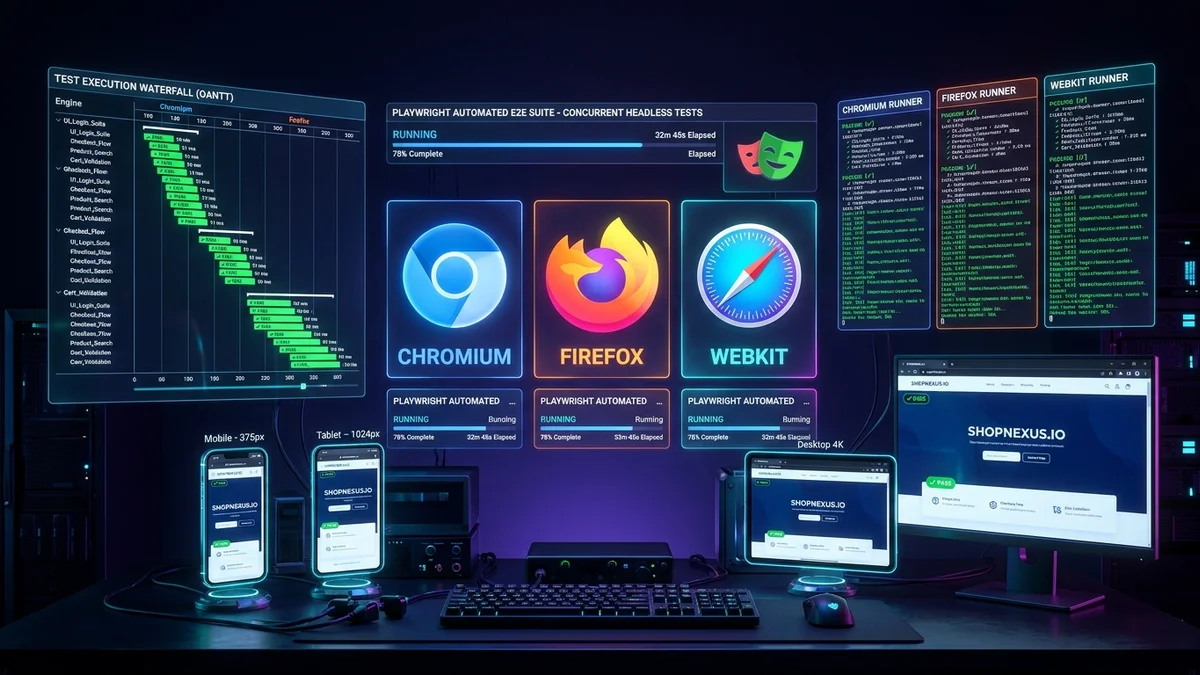
Few challenges in software engineering are more universally frustrating than a flaky Continuous Integration (CI) test suite. Every developer has experienced the pain of a critical pull request being blocked at 6:00 PM on a Friday because an end-to-end test randomly timed out on a button click—only to pass with flying colors when re-run five minutes later.
In 2026, the testing ecosystem has largely moved on from the architectural constraints of legacy tools like Selenium and Cypress. Playwright (developed by Microsoft) has become the gold standard for web application quality assurance. By communicating directly with browser binaries over Chrome DevTools Protocol (CDP) and native WebDriver BiDi connections, Playwright delivers blazing execution speeds, native multi-tab support, and true cross-browser fidelity across Chromium, Firefox, and WebKit (Safari).
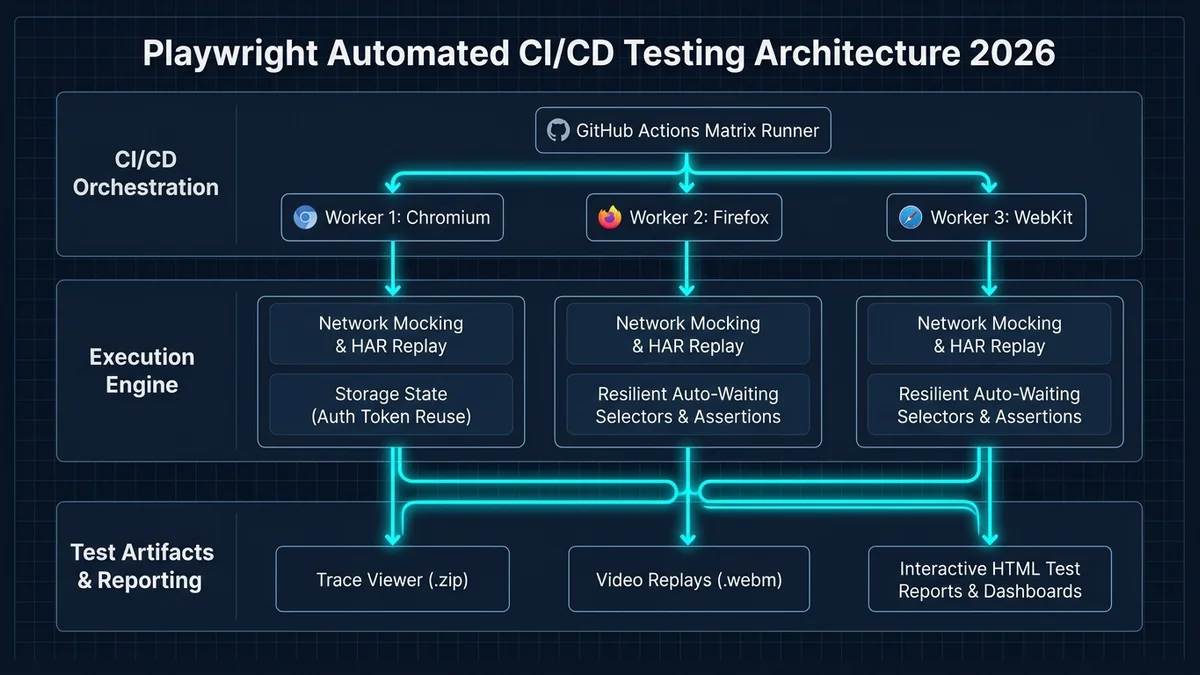
In this comprehensive engineering guide, we examine the production architectural patterns of modern Playwright test suites. We cover authentication session reuse, resilient locator strategies, mock API network routing, parallel CI test sharding in GitHub Actions, and post-mortem debugging with the Playwright Trace Viewer.
1. Why Playwright Crushed Legacy Testing Frameworks
To understand why modern engineering teams have migrated to Playwright, consider the core architectural limitations of Cypress and Selenium:
| Capability / Feature | Selenium (Legacy) | Cypress | Playwright (Modern 2026) |
|---|---|---|---|
| Execution Architecture | Out-of-process HTTP JSON Wire Protocol (slow). | Runs inside browser iframe (restricted sandbox). | Direct DevTools Protocol & BiDi socket (blazing fast). |
| Multi-Browser Engines | Requires separate webdriver installations. | Chromium & Firefox only (no native WebKit/Safari). | Built-in Chromium, Firefox, and true WebKit. |
| Multi-Tab & Multi-Window | Painful window handle context switching. | Impossible (runs inside a single browser tab). | Native multi-page, multi-tab, and multi-origin support. |
| Auto-Waiting & Resiliency | Manual explicit waits and Thread.sleep() required. | Built-in auto-waiting, but prone to detached DOM errors. | Event-driven actionability checks (visible, enabled, stable). |
| Parallel Worker Sharding | Requires third-party Selenium Grid infrastructure. | Paid Cypress Cloud subscription required for sharding. | Native open-source CLI sharding (--shard=1/4) at $0. |
2. The #1 Speed Hack: Pre-Authenticated Storage States
In a typical application test suite containing 150 tests, 95% of those tests require an authenticated user session. If every individual test opens the login page, types an email and password, submits the form, and waits for the authentication redirect, your suite spends over 15 minutes doing redundant login form submissions.
Playwright solves this elegantly through Global Setup and `storageState`. You log in once before the test suite begins, capture the authenticated browser cookies and localStorage JWT tokens to a JSON file, and inject that state into every worker context instantly with zero UI overhead:
// tests/auth.setup.ts: Executed ONCE before tests run
import { test as setup, expect } from "@playwright/test";

const authFile = "playwright/.auth/user.json";

setup("authenticate user session", async ({ page }) => {
  // Perform interactive login once
  await page.goto("https://app.company.com/login");
  await page.getByLabel("Email Address").fill("qa-engineer@company.com");
  await page.getByLabel("Password").fill(process.env.TEST_USER_PASSWORD!);
  await page.getByRole("button", { name: "Sign In" }).click();

  // Verify dashboard navigation
  await expect(page.getByRole("heading", { name: "Dashboard" })).toBeVisible();

  // Save authenticated cookies and localStorage to disk
  await page.context().storageState({ path: authFile });
});
Then, in your playwright.config.ts, you specify storageState: 'playwright/.auth/user.json' for all test projects. Every browser worker starts already logged in, cutting total suite execution time by up to 75%.
3. Writing Resilient, Flake-Free Locators
The primary root cause of flaky tests is using brittle CSS selectors or XPath expressions (such as div.container > div:nth-child(2) > button). Whenever a front-end designer modifies markup or adjusts Tailwind classes, those selectors break.
Playwright encourages user-facing, accessible role locators that mirror how actual human users and assistive screen readers interact with the DOM:
// FRAGILE: Breaks on minor CSS / DOM refactors
await page.click(".btn-primary-lg.submit-action");

// BULLETPROOF: Resilient user-centric accessible locator
await page.getByRole("button", { name: "Confirm Checkout" }).click();

// FORM INPUT: Mirrors screen-reader accessibility labels
await page.getByLabel("Billing Zip Code").fill("94105");
4. Mocking Flaky Third-Party APIs with `page.route()`
When testing critical business workflows (such as customer billing or webhook notifications), calling real external APIs (Stripe, Twilio, OpenAI) makes tests slow, expensive, and dependent on third-party network uptime.
Playwright allows you to intercept and mock any outgoing HTTP network request at the browser socket level using page.route():
test("simulates payment success without calling Stripe live API", async ({ page }) => {
  // Intercept outgoing Stripe API checkout session requests
  await page.route("**/api/checkout/session", async (route) => {
    const json = { status: "success", transactionId: "txn_test_99812a" };
    await route.fulfill({ status: 200, contentType: "application/json", json });
  });

  await page.goto("/billing");
  await page.getByRole("button", { name: "Upgrade to Pro Tier" }).click();
  await expect(page.getByText("Welcome to Pro!")).toBeVisible();
});
5. GitHub Actions Matrix Sharding: 500 Tests in 3 Minutes
As codebases grow, running hundreds of E2E tests serially on a single CI machine becomes a massive productivity bottleneck. Playwright provides built-in test sharding. In your GitHub Actions workflow, configure a matrix strategy that splits your test suite across 4 or 8 parallel GitHub-hosted runners.
Each individual runner pulls its proportional slice of tests using deterministic hash allocation. Once all shards finish their execution runs, a lightweight merge job combines all JUnit XML reports, video artifacts, and Trace Viewer archives into a single unified dashboard, providing immediate visibility to engineering managers and reviewers.
name: Playwright E2E Tests
on: [pull_request]

jobs:
  e2e-tests:
    runs-on: ubuntu-latest
    strategy:
      fail-fast: false
      matrix:
        shardIndex: [1, 2, 3, 4]
        shardTotal: [4]
    steps:
      - uses: actions/checkout@v4
      - uses: actions/setup-node@v4
        with:
          node-version: 22
      - run: npm ci
      - name: Install Playwright Browsers
        run: npx playwright install --with-deps chromium
      - name: Run Sharded Tests
        run: npx playwright test --shard=${{ matrix.shardIndex }}/${{ matrix.shardTotal }}
      - name: Upload Trace & HTML Artifacts
        if: always()
        uses: actions/upload-artifact@v4
        with:
          name: playwright-report-${{ matrix.shardIndex }}
          path: playwright-report/
6. The 2026 Playwright Production QA Checklist
Ensure your automated end-to-end testing suite adheres to these five battle-tested engineering standards:
- Never use arbitrary time delays (
page.waitForTimeout); always assert against semantic element states or network response events. - Store global authentication sessions in
storageStateto avoid repeating interactive login workflows across hundreds of tests. - Use
page.getByRole,page.getByLabel, andpage.getByTestIdinstead of brittle CSS hierarchy selectors. - Enable Trace Viewer generation strictly on test retry (
trace: 'on-first-retry') to conserve CI storage while capturing comprehensive debugging data on failures. - Implement parallel test sharding in GitHub Actions matrix configurations to keep overall PR build times under 5 minutes.
Frequently asked questions
webServer property in playwright.config.ts. It automatically boots your local Next.js or Vite dev server (e.g. npm run dev), awaits the localhost port to become available, executes the test suite, and tears down the server upon completion.expect(page).toHaveScreenshot() assertion that captures high-resolution golden image baselines. When component styling or responsive layouts shift, Playwright highlights pixel discrepancies with configurable tolerance thresholds, preventing visual regressions from shipping to production.Sources

Written by
Hamza Fazal
Founder, DEESU
Muhammad Hamza Fazal is the Founder of DEESU. An Android and full-stack web developer and digital marketer based in Islamabad, he founded DEESU in May 2022 and leads its engineering operations, product strategy, and client software delivery.
More from HamzaNeed help with this?