Every engineering team building with Large Language Models and autonomous agents between 2023 and 2025 ran into the exact same architectural wall: the N × M integration nightmare. If you wanted Claude, Cursor, ChatGPT, and custom internal agent swarms to query your Postgres database, inspect GitHub repositories, check Prometheus metrics, and trigger CI/CD pipelines, you had to hand-craft, test, and maintain dozens of custom function-calling wrappers for every combination of client and tool.
In late 2026, that era of ad-hoc glue code is officially over. The Model Context Protocol (MCP), open-sourced by Anthropic and rapidly standardized by the broader developer ecosystem, has emerged as the universal standard for AI interoperability. Leading developer tools — including Cursor, Windsurf (Codeium), Claude Desktop, JetBrains AI, and VS Code — now natively speak MCP.
However, most tutorials online remain stuck at the 'toy demo' level: launching a local Node or Python script that communicates over standard input/output (stdio) to read a local text file on an engineer's laptop. That approach fails the moment you need a team-wide setup, cloud hosting, centralized authentication, or multi-tenant database access.
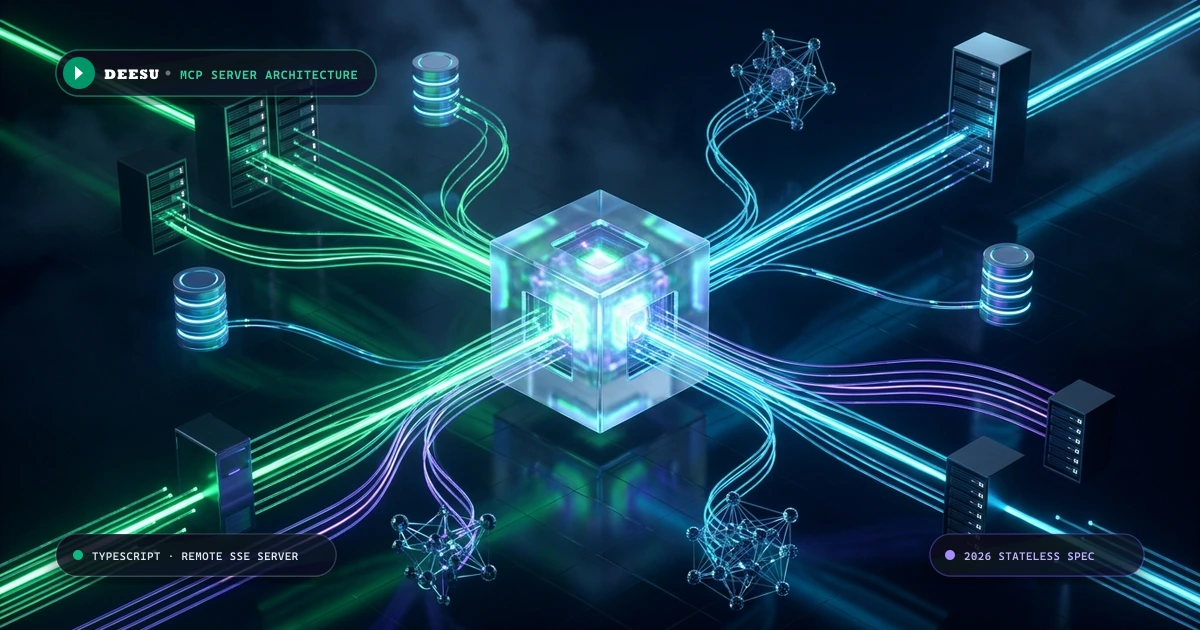
In this comprehensive engineering guide, we walk through how senior full-stack and DevOps engineers architect, secure, and deploy a production-grade Remote MCP Server in TypeScript over Server-Sent Events (SSE). You will learn how to structure your server, manage multi-client sessions, secure your endpoints, configure IDE clients, test with the official MCP Inspector, and package your service into a hardened container.
The Three Core Primitives of MCP: Tools, Resources, and Prompts
At its protocol layer, the Model Context Protocol defines a clean JSON-RPC 2.0 contract between two actors: the Host/Client (the AI interface, such as Cursor or Claude Desktop) and the Server (your backend service). An MCP server can expose any combination of three fundamental capabilities:
| Primitive | Access Mode | REST Analogy | Primary Architectural Purpose |
|---|---|---|---|
| Tools | Read / Write (Executable) | POST / PUT Endpoints | Performing actions: triggering deployments, querying databases with dynamic parameters, sending emails, or executing external API calls. Tools define strict JSON Schema / Zod contracts. |
| Resources | Read-Only (Contextual) | GET Endpoints / File Feeds | Providing background context: database table schemas, live server health metrics, customer support tickets, or documentation files without requiring explicit model execution. |
| Prompts | Instructional (Templates) | Saved Prompt Blueprints | Guiding the LLM through specialized tasks: 'Review Pull Request', 'Investigate Error Trace', or 'Generate Migration Script' with pre-filled context and instructions. |
STDIO vs. Remote HTTP/SSE: Why Production Demands Server-Sent Events
When developing an MCP server locally, you configure your client to launch a child process directly via stdio (Standard Input / Standard Output). The AI client forks your process and writes JSON-RPC messages to its stdin stream while reading responses from stdout.
While stdio is frictionless for single-developer local testing, it completely breaks down in production enterprise architectures:
| Architectural Factor | Local STDIO Transport | Remote HTTP / SSE Transport (Production) |
|---|---|---|
| Deployment Model | Runs locally on developer's machine | Runs on AWS ECS, Kubernetes, Cloud Run, or Docker |
| Team Sharing | Impossible; credentials & binaries must be duplicated | Centralized; entire team connects to a single managed URL |
| Authentication | None (relies on laptop environment variables) | Enterprise Bearer tokens, OAuth2, or SSO headers |
| Audit Logging & Observability | Scattered across local machine stdout | Centralized Datadog, CloudWatch, or OpenTelemetry logging |
| Scalability | Limited to local CPU / memory | Horizontally scalable across stateless container clusters |
| Client Access | Requires local CLI access | Accessible from desktop IDEs, web agents, and cloud CI runners |
In 2026, production MCP architecture relies on HTTP with Server-Sent Events (SSE). The AI client opens a persistent HTTP connection to GET /sse, receiving real-time JSON-RPC notifications and session metadata. When the client invokes a tool or reads a resource, it issues an HTTP POST /message?sessionId=... request. This decouples the AI client from your backend compute, allowing you to run your MCP server as a standard microservice behind your corporate firewall or reverse proxy.
The 2026 Stateless Protocol Spec & Multi-Client Session Management
The July 2026 protocol revision (spec version 2026-07-28) resolved one of the biggest scaling hurdles in early MCP implementations: transport-level connection coupling. In early specifications, servers held stateful transport instances tied to memory, making horizontal scaling behind round-robin load balancers prone to dropped connections.
Under the modern specification, every HTTP SSE connection issues a unique sessionId. The server maps each incoming JSON-RPC post request directly to its corresponding SSE transport stream. In distributed multi-container deployments, session routing can be pinned via load balancer cookies or synchronized across worker nodes through a Redis pub/sub backplane.
Step-by-Step Implementation: Building a Production Remote MCP Server in TypeScript
Let's construct a production-ready Remote MCP server using Node.js, Express, and the official @modelcontextprotocol/sdk. We will build a complete system featuring Bearer token authentication, multi-session management, read-only database schema Resources, and guarded database query Tools with strict Zod validation.
1. Project Initialization and Dependencies
Create a new project directory and install the necessary dependencies:
mkdir mcp-remote-production && cd mcp-remote-production
npm init -y

# Core MCP SDK, web framework, validation, and security
npm install @modelcontextprotocol/sdk express zod dotenv cors

# TypeScript and development tooling
npm install -D typescript @types/node @types/express @types/cors tsxNext, create a tsconfig.json optimized for modern Node.js module resolution:
{
  "compilerOptions": {
    "target": "ES2022",
    "module": "NodeNext",
    "moduleResolution": "NodeNext",
    "lib": ["ES2022"],
    "outDir": "./dist",
    "rootDir": "./src",
    "strict": true,
    "esModuleInterop": true,
    "skipLibCheck": true,
    "forceConsistentCasingInFileNames": true
  },
  "include": ["src/**/*"]
}2. The Complete Production Server Implementation (`src/server.ts`)
Here is the complete, runnable TypeScript implementation. It handles multi-client SSE connections, request authentication, safe database aggregation, and clean shutdown signals:
import express, { Request, Response, NextFunction } from "express";
import cors from "cors";
import dotenv from "dotenv";
import { Server } from "@modelcontextprotocol/sdk/server/index.js";
import { SSEServerTransport } from "@modelcontextprotocol/sdk/server/sse.js";
import {
  CallToolRequestSchema,
  ListToolsRequestSchema,
  ListResourcesRequestSchema,
  ReadResourceRequestSchema,
} from "@modelcontextprotocol/sdk/types.js";
import { z } from "zod";

dotenv.config();

const app = express();
const PORT = process.env.PORT || 3001;
const API_SECRET_KEY = process.env.MCP_API_KEY || "deesu-mcp-secret-key-2026";

app.use(cors());
app.use(express.json());

// -------------------------------------------------------------
// 1. Security Middleware: Bearer Token Validation
// -------------------------------------------------------------
function requireAuth(req: Request, res: Response, next: NextFunction) {
  const authHeader = req.headers.authorization;
  const token = authHeader?.startsWith("Bearer ")
    ? authHeader.slice(7)
    : (req.query.token as string);

  if (!token || token !== API_SECRET_KEY) {
    return res.status(401).json({
      error: "Unauthorized",
      message: "Valid Bearer token or token query parameter required.",
    });
  }
  next();
}

// -------------------------------------------------------------
// 2. Initialize the MCP Server Instance
// -------------------------------------------------------------
const mcpServer = new Server(
  {
    name: "deesu-production-analytics-mcp",
    version: "1.0.0",
  },
  {
    capabilities: {
      tools: {},
      resources: {},
    },
  }
);

// -------------------------------------------------------------
// 3. Register Read-Only Resources (Database Schema Awareness)
// -------------------------------------------------------------
mcpServer.setRequestHandler(ListResourcesRequestSchema, async () => ({
  resources: [
    {
      uri: "postgres://analytics/schemas/users",
      name: "Users & Subscriptions Schema",
      mimeType: "text/plain",
      description: "Read-only schema structure for the production analytics database.",
    },
    {
      uri: "postgres://analytics/schemas/billing",
      name: "Billing Events Schema",
      mimeType: "text/plain",
      description: "Read-only schema for revenue, Stripe webhook, and tier transition logs.",
    },
  ],
}));

mcpServer.setRequestHandler(ReadResourceRequestSchema, async (request) => {
  const { uri } = request.params;

  if (uri === "postgres://analytics/schemas/users") {
    return {
      contents: [
        {
          uri,
          mimeType: "text/plain",
          text: `-- Read-only production schema reference
CREATE TABLE users (
  id UUID PRIMARY KEY DEFAULT gen_random_uuid(),
  created_at TIMESTAMP WITH TIME ZONE NOT NULL DEFAULT NOW(),
  country_code VARCHAR(2) NOT NULL,
  subscription_tier VARCHAR(32) NOT NULL DEFAULT 'free',
  is_active BOOLEAN NOT NULL DEFAULT true
);
CREATE INDEX idx_users_cohort ON users (created_at, subscription_tier);`,
        },
      ],
    };
  }

  if (uri === "postgres://analytics/schemas/billing") {
    return {
      contents: [
        {
          uri,
          mimeType: "text/plain",
          text: `CREATE TABLE billing_events (
  id UUID PRIMARY KEY DEFAULT gen_random_uuid(),
  user_id UUID REFERENCES users(id),
  amount_cents INTEGER NOT NULL,
  currency VARCHAR(3) NOT NULL DEFAULT 'USD',
  event_type VARCHAR(64) NOT NULL, -- 'subscription_created', 'invoice_paid', 'churn'
  created_at TIMESTAMP WITH TIME ZONE NOT NULL DEFAULT NOW()
);`,
        },
      ],
    };
  }

  throw new Error(`Resource not found: ${uri}`);
});

// -------------------------------------------------------------
// 4. Register Executable Tools with Strict Schema Validation
// -------------------------------------------------------------
mcpServer.setRequestHandler(ListToolsRequestSchema, async () => ({
  tools: [
    {
      name: "query_subscription_metrics",
      description: "Fetch aggregated revenue, active subscriber counts, and churn rates by cohort without leaking customer PII.",
      inputSchema: {
        type: "object",
        properties: {
          tier: {
            type: "string",
            enum: ["all", "free", "starter", "professional", "enterprise"],
            description: "Target subscription tier filter.",
          },
          daysBack: {
            type: "number",
            minimum: 1,
            maximum: 365,
            description: "Number of preceding days to analyze (default: 30).",
          },
        },
        required: ["tier"],
      },
    },
  ],
}));

// Zod runtime validation contract
const SubscriptionMetricsArgsSchema = z.object({
  tier: z.enum(["all", "free", "starter", "professional", "enterprise"]),
  daysBack: z.number().int().min(1).max(365).optional().default(30),
});

mcpServer.setRequestHandler(CallToolRequestSchema, async (request) => {
  const { name, arguments: rawArgs } = request.params;

  if (name === "query_subscription_metrics") {
    const parseResult = SubscriptionMetricsArgsSchema.safeParse(rawArgs);
    if (!parseResult.success) {
      return {
        isError: true,
        content: [
          {
            type: "text",
            text: `Validation failed: ${parseResult.error.issues.map((i) => i.message).join(", ")}`,
          },
        ],
      };
    }

    const { tier, daysBack } = parseResult.data;

    // In production, execute a parameterized query on a read-only database replica:
    // const results = await db.query(SQL_QUERY, [tier, daysBack]);
    const mockAggregatedData = {
      queryWindowDays: daysBack,
      tierFilter: tier,
      totalActiveAccounts: tier === "enterprise" ? 420 : 18450,
      monthlyRecurringRevenueUSD: tier === "enterprise" ? 210000 : 738000,
      churnRatePercentage: 1.42,
      calculatedAt: new Date().toISOString(),
    };

    return {
      content: [
        {
          type: "text",
          text: JSON.stringify(mockAggregatedData, null, 2),
        },
      ],
    };
  }

  throw new Error(`Tool not registered: ${name}`);
});

// -------------------------------------------------------------
// 5. Multi-Client SSE Transport Connection Management
// -------------------------------------------------------------
const activeTransports = new Map<string, SSEServerTransport>();

// SSE Endpoint: AI Client opens the persistent event stream
app.get("/sse", requireAuth, async (req: Request, res: Response) => {
  // Set SSE response headers to disable proxy buffering
  res.setHeader("Content-Type", "text/event-stream");
  res.setHeader("Cache-Control", "no-cache");
  res.setHeader("Connection", "keep-alive");
  res.setHeader("X-Accel-Buffering", "no");

  const transport = new SSEServerTransport("/message", res);
  const sessionId = transport.sessionId;

  activeTransports.set(sessionId, transport);
  console.log(`[MCP] Client connected | Session: ${sessionId}`);

  req.on("close", () => {
    activeTransports.delete(sessionId);
    console.log(`[MCP] Client disconnected | Session: ${sessionId}`);
  });

  await mcpServer.connect(transport);
});

// Message Endpoint: AI Client posts tool executions and JSON-RPC calls
app.post("/message", requireAuth, async (req: Request, res: Response) => {
  const sessionId = req.query.sessionId as string;

  if (!sessionId || !activeTransports.has(sessionId)) {
    return res.status(404).json({
      error: "SessionNotFound",
      message: "No active SSE transport stream for the provided sessionId.",
    });
  }

  const transport = activeTransports.get(sessionId)!;
  await transport.handlePostMessage(req, res);
});

// Health check endpoint for cloud load balancers
app.get("/health", (_req, res) => {
  res.json({
    status: "healthy",
    uptimeSeconds: process.uptime(),
    activeSessions: activeTransports.size,
  });
});

app.listen(PORT, () => {
  console.log(`🚀 DEESU Remote MCP Server online at http://localhost:${PORT}`);
  console.log(`📡 SSE endpoint: http://localhost:${PORT}/sse`);
  console.log(`🛡️  Authentication: Bearer token enforced`);
});Connecting AI Clients: Cursor, Claude Desktop, and Windsurf
Once your remote server is listening, connecting modern developer environments requires only a few lines of configuration.
1. Claude Desktop Setup
Open your Claude Desktop configuration file (~/Library/Application Support/Claude/claude_desktop_config.json on macOS or %APPDATA%\Claude\claude_desktop_config.json on Windows):
{
  "mcpServers": {
    "deesu-analytics": {
      "url": "http://localhost:3001/sse?token=deesu-mcp-secret-key-2026"
    }
  }
}Save the file and restart Claude Desktop. Click the hammer icon (🔨) in the prompt box: you will see query_subscription_metrics listed under active tools, and Claude will automatically consult the users and billing schema resources before formulating queries.
2. Cursor IDE Setup
In Cursor, navigate to Settings → Features → MCP Servers, or create a project-level configuration file at .cursor/mcp.json:
{
  "mcpServers": {
    "production-db": {
      "url": "https://mcp.internal.yourdomain.com/sse",
      "headers": {
        "Authorization": "Bearer YOUR_PRODUCTION_MCP_SECRET"
      }
    }
  }
}When you invoke Cursor Agent (Cmd+K or Composer Agent), Cursor checks the available MCP tools and automatically suggests executing database queries and retrieving live schemas during coding sessions.
3. Windsurf (Codeium) Setup
For Windsurf, add your remote endpoint to ~/.codeium/windsurf/mcp_config.json. The Cascade AI agent in Windsurf automatically indexes registered tools, allowing you to prompt: *'Analyze churn in the enterprise tier over the past 60 days using our analytics MCP server'* and receive direct, verified answers based on live database calculations.
Testing and Debugging with the Official MCP Inspector
Do not test your MCP server by burning expensive LLM tokens on trial-and-error chat prompts. The MCP community maintains a dedicated, browser-based diagnostic harness called the MCP Inspector.
Run the inspector against your remote SSE server directly via npx:
npx @modelcontextprotocol/inspector http://localhost:3001/sse?token=deesu-mcp-secret-key-2026The inspector opens a local web interface (typically at http://localhost:5173). From this dashboard, you can:
- Inspect Registered Tools & Schemas: Verify that all parameter names, descriptions, and Zod enums render cleanly.
- Execute Interactive Tool Calls: Input test payloads and view the exact raw JSON-RPC request and response payloads in real-time.
- Read Context Resources: View the live schema text returned by your resource endpoints.
- Debug Latency & Error Codes: Confirm that error handling returns clean
isError: trueobjects rather than crashing the SSE stream.
Production Security: Defense-in-Depth for Autonomous Agents
Allowing an autonomous AI agent to invoke backend tools introduces profound security implications. Because LLMs process untrusted external data (such as user comments, GitHub issues, or support tickets), they are vulnerable to indirect prompt injection — an attacker embedding instructions into text to manipulate the model into executing unauthorized tool calls.
To protect your infrastructure, follow four non-negotiable security principles:
- Never Expose Raw SQL or Arbitrary Bash Tools: Exposing an open
run_sql(query: string)tool is an invitation to disaster. An injected prompt can easily convince the LLM to executeDROP TABLE users;or leak hashed passwords. Instead, expose high-level, parameterized business tools (e.g.query_subscription_metrics) that accept strictly validated enum and integer parameters. - Use Read-Only Replica Database Credentials: Even inside safe parameterized functions, bind your MCP server to read-only database credentials. Strip
INSERT,UPDATE,DELETE, andALTERgrants at the PostgreSQL user level. - Implement Human-in-the-Loop (HITL) Confirmations: For any tool that mutates state (such as refunding a payment, cancelling a subscription, or deploying a build), configure client approval triggers. The AI client will pause execution and render an interactive confirmation modal, requiring an engineer or manager to explicitly approve the action before the call completes.
- Enforce Rate Limiting & Context Truncation: Autonomous agents can enter infinite tool-calling loops when attempting to self-correct an edge case. Set a per-session limit (e.g., maximum 30 calls per minute) and truncate responses that exceed 16 KB to prevent blowing through your model's context window.
Production Deployment Blueprint: Hardened Docker Container
To deploy your TypeScript MCP server to AWS ECS, Google Cloud Run, or Kubernetes, package it with a minimal, multi-stage Dockerfile that drops root privileges:
# Stage 1: Build TypeScript bundle
FROM node:22-alpine AS builder
WORKDIR /app
COPY package*.json tsconfig.json ./
RUN npm ci
COPY src/ ./src/
RUN npm run build

# Stage 2: Minimal runtime image
FROM node:22-alpine AS runner
WORKDIR /app
ENV NODE_ENV=production
COPY package*.json ./
RUN npm ci --omit=dev && npm cache clean --force
COPY --from=builder /app/dist ./dist

# Run as non-root user for container security
USER node

EXPOSE 3001
CMD ["node", "dist/server.js"]When placing your container behind Nginx or Caddy, ensure that response buffering is disabled. SSE requires immediate chunked streaming; if your proxy buffers the stream, the AI client will timeout waiting for the SSE handshake:
location /sse {
    proxy_pass http://mcp_backend:3001;
    proxy_http_version 1.1;
    proxy_set_header Connection '';
    proxy_set_header Host $host;
    proxy_buffering off;
    proxy_cache off;
    chunked_transfer_encoding on;
}Frequently asked questions
npx @modelcontextprotocol/inspector <server-url>. It opens a browser-based interactive debugger that lets you list tools, view resources, inspect schemas, and execute test payloads with raw JSON-RPC traces without making any LLM calls.Sources

Written by
Hamza Fazal
Founder, DEESU
Muhammad Hamza Fazal is the Founder of DEESU. An Android and full-stack web developer and digital marketer based in Islamabad, he founded DEESU in May 2022 and leads its engineering operations, product strategy, and client software delivery.
More from HamzaNeed help with this?